




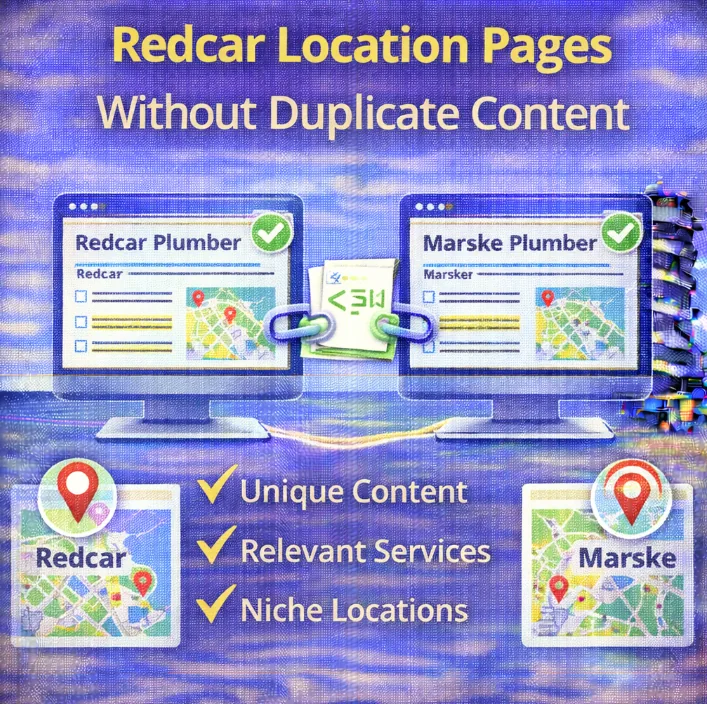
If you are running a business here in Redcar, there comes a point where you hit a ceiling.
You have optimised your website, you are ranking well for customers in the town centre, and you are busy.
Naturally, you start looking at the map.
You look at Marske, Saltburn, Guisborough, or maybe even as far as Middlesbrough. You want customers from those areas too.
This is where most business owners make a catastrophic mistake.
They think, “I’ll just create a new page on my website for each town. I’ll copy the text from my home page, find every mention of ‘Redcar’, and swap it for ‘Saltburn’.”
It sounds like a genius time saver. In reality, it is the fastest way to kill your SEO progress.
Google hates duplicate content. If you feed it ten pages that are identical except for a city name, it will likely ignore nine of them. In worst case scenarios, it might view your site as spammy.
Today we are going to look at how to build location pages the right way. We want to help you rank in every corner of Teesside without annoying the search engines. It takes more work than the copy and paste method, but the results are actually sustainable.
The “Doorway Page” Problem
In the early days of the internet, you could get away with murder. You could have a website for a carpet cleaning business and create 500 pages for every village in the North East. The content would be identical: “Best Carpet Cleaner in [Village Name].”
Google caught onto this years ago. They call these “Doorway Pages.”
The search engine’s logic is simple: If a user clicks on a result for “Marske Carpet Cleaning” and then clicks back and searches for “Redcar Carpet Cleaning,” they should not land on the exact same page with just the headline changed. That provides zero value to the user.
When you duplicate content across your site, you are forcing Google to choose which version is the “original.” Usually, it will pick your main Redcar page and filter the rest out of the search results. This is often why you might be wondering why you’re not ranking locally in the towns just five miles down the road.
To win, every single location page needs to stand on its own two feet.
Understanding the Anatomy of a Great Location Page
Before we start writing, we need to understand the structure. A location page is a landing page specifically designed to rank for “Service + City” keywords in an area where you might not have a physical office.
Now, if you do have a physical office in that town, that is a different story. That involves setting up a separate Google Business Profile for that address. But for most of us, we have one HQ in Redcar and we travel to clients. This falls under service area local SEO.
Your location page needs to convince two entities:
- Google: That this page is relevant to the specific geographical area.
- The Human: That you are actually local enough to trust and not a national lead generation company pretending to be local.
To do this, we need to go beyond basic keywords.
Step 1: Technical Setup and URL Structure
Let’s get the boring technical bits out of the way first so we can focus on the creative side.
Your URL structure matters. It helps Google understand the hierarchy of your website. You want to keep it clean and logical.
Avoid messy structures like domain.com/page-id?234.
Instead, go for something like: domain.com/areas-we-cover/saltburn/.
This tells Google exactly what the page is about before it even crawls the content.
Next, you need to ensure you are using canonical tags correctly. If you have very similar content (which we are trying to avoid, but it happens), the canonical tag tells Google which version is the “master” copy. However, if you follow this guide properly, your content will be unique enough that you won’t need to worry about canonicalising these pages back to the homepage. You want them to rank independently.
Step 2: Researching the Local Area (The “Localise” Strategy)
This is where the magic happens. To write unique content for a specific town, you need to talk about that town.
Let’s say you run a landscaping business.
The Lazy Way:
“We offer landscaping in Saltburn. We cut grass and trim hedges. Call us for landscaping in Saltburn.”
The Winning Way:
“Gardening in Saltburn presents unique challenges compared to inland towns. The salt air from the coast can be tough on certain plants, and the soil composition near the cliffs requires specific drainage solutions. We have helped dozens of homeowners near the Valley Gardens create wind-resistant flowerbeds that thrive despite the coastal breeze.”
See the difference?
The second example proves you know the area. It mentions a local landmark (Valley Gardens), a local environmental factor (salt air), and specific advice.
To do this, you need to research:
- Local Landmarks: What is the town famous for?
- Local Problems: Does the area suffer from hard water? (Good for plumbers). Is it a conservation area? (Good for builders/roofers). Is it a high-traffic retail area? (Good for shop fitters).
- Neighbourhood Names: Don’t just say the town name. Mention the suburbs or estates within it.
This is what we mean by localised content. It is distinct, helpful, and impossible to fake with a copy-paste job.
Step 3: Specific Services for Specific Towns
Another way to avoid duplicate content is to tailor your service offering to the demographic of that town.
Redcar might have a lot of terraced housing requiring specific renovation work. Nunthorpe might have larger detached properties with large driveways.
If you are a paving company, your Redcar page should talk about “backyard renovation for terraced homes,” while your Nunthorpe page talks about “sweeping driveways for detached properties.”
You are effectively selling the same service (paving), but you are framing it to match the search intent and the reality of the housing stock in that specific location.
This requires you to do some proper keyword research. Don’t just guess what people in Guisborough are searching for. Look at the data. Are they searching for “cheap” or “luxury”? “Emergency” or “installation”?
Step 4: Unique Social Proof
Nothing builds trust faster than proof that you have actually worked in the location you are targeting.
If I am in Marske and I land on your page, I don’t want to see a testimonial from someone in Darlington. It feels distant.
On your location pages, try to filter your reviews. If you use a plugin to display GBP reviews, see if you can tag them by location. Show the Marske reviews on the Marske page.
If you can’t filter the widget, type them out manually in the text.
“Mrs. Thompson from The Avenue in Marske called us when her boiler broke down…”
This reinforces to Google that you are active in that specific cluster. It also helps with E-E-A-T (Experience, Expertise, Authoritativeness, and Trustworthiness). You are demonstrating real experience in that specific locale.
Step 5: The Internal Linking Web
Once you have created these beautiful, unique pages for Redcar, Marske, Saltburn, and Guisborough, you need to connect them.
Do not just leave them floating in space (we call these “orphan pages”).
You need a solid strategy for internal linking.
- From the Homepage: Have a section called “Areas We Cover” and link to them.
- From Service Pages: If you have a page about service pages, link out to the locations. “We provide this service in Redcar, Marske, and beyond.”
- Between Locations: This is a pro tip. “Based in Saltburn? We also have a team just down the road helping customers in Skelton.”
This helps the “link juice” flow around your site and helps Google crawl and index these new pages faster. It builds topical authority by showing you dominate the whole region, not just one postcode.
Writing the Content: A Template for Success
Staring at a blank page is hard. Here is a loose structure you can use to write these pages without falling into the duplication trap.
The Hook (Header 1)
Your title tags need to be on point.
Example: Expert Commercial Cleaning in Guisborough | Reliable & Local
The Introduction
Address the local pain point immediately. Mention the town name naturally, not stuffed in. Explain you are just down the road in Redcar but service Guisborough daily.
The “Local Context” Section
This is where you drop your knowledge. Talk about the specific types of businesses or homes in the area. Use those keywords you researched.
The Services
List what you do, but tailor the descriptions. If you are a window cleaner, talk about how the high winds on the seafront in Redcar make regular cleaning essential, whereas in a leafy suburb, tree sap might be the bigger issue.
The Proof
Case study time. “We recently worked with a bakery on the High Street…” This is unique text that cannot be replicated on another page.
The Call to Action
Tell them what to do next. “Call our local team.”
Managing Keywords Without “Stuffing”
There is a temptation to shove the city name into every sentence.
“We are the best bakers in Redcar baking Redcar cakes for Redcar people.”
Please stop. This is called keyword stuffing and it looks spammy. It reads terribly for humans and Google’s algorithms are smart enough to penalise it.
You need to think about keyword placement. Put the primary location keyword in your H1 tag, your URL, the first paragraph, and maybe one or two subheaders (header tags).
For the rest of the text, use variations.
- Instead of “Redcar,” use “the town,” “the local area,” “TS10,” “Teesside,” “The coast.”
- Use LSI keywords (related terms). Google understands that “The Stray” is related to “Redcar.” Using these semantically related words confirms the location without spamming the main keyword.
Images and Alt Text
Do not ignore the visuals. If every location page has the exact same stock photo of a smiling man in a van, you are missing a trick.
Try to get photos of your team working in that specific town.
- A photo of your van parked in front of the Huntcliff in Saltburn.
- A photo of your shop front with a Redcar landmark in the background.
When you upload these, optimise the file names and the alt text.
- Bad: IMG_001.jpg
- Good: commercial-cleaning-van-guisborough-market-place.jpg
This adds another layer of local relevance that Google Image Search picks up on.
What If I Really Have Nothing Different to Say?
I hear this a lot. “But I just fix drains. A drain is a drain whether it is in Redcar or Marske.”
I get it. It can be hard to find unique angles for 15 different villages.
If you genuinely cannot write unique content for a location, do not build the page.
It is better to have one strong page for “Teesside” or “East Cleveland” than 20 weak, duplicate pages for every tiny hamlet.
However, if you dig deep enough, there is usually something.
- Travel time: “We can be at your property in Skelton within 20 minutes from our Redcar HQ.”
- Common issues: “We see a lot of blocked drains in older Victorian terraces in this area.”
- Community involvement: “We are proud sponsors of the local football team.”
Monitoring Your Success
You have written the pages. You have published them. Now what?
You need to track if they are working. You should be looking at your analytics to see if organic traffic is landing on these specific URLs.
You should also check your SERPs (Search Engine Results Pages). Are you appearing in the map pack? Are you in the blue links below the map?
If you notice a page isn’t ranking, consider doing a local SEO audit on that specific URL. Is the content too thin? Is it too similar to another page? (Check for keyword cannibalisation – where two pages fight for the same term).
FAQ: Using “Near Me”
You might be tempted to optimise for “Plumber Near Me.”
The issue is, you can’t really optimise specifically for the phrase “near me.” Google dynamically serves those results based on the user’s GPS location.
The best way to rank for “near me” searches in a town where you don’t have an address is simply to have a fantastic location page that convinces Google you are the most relevant answer for that area.
Focus on topical authority and local relevance, and the “near me” rankings often follow naturally when the user is standing in that town.
The Role of Backlinks
While content is king, links are still the queen. To really supercharge a location page, try to get some backlinks from websites in that specific area.
- Is there a local directory for Guisborough businesses?
- Is there a local community blog?
- Can you sponsor a local event and get a link from their site?
These local links act as a vote of confidence. If a Marske-based website links to your Marske location page, it sends a massive signal to Google that your page is legitimately relevant to that community.
You can also use the anchor text in these links to reinforce the location, but keep it natural.
Summary
Expanding your digital footprint across Redcar and Cleveland is a smart move. It allows you to compete with the big boys without opening expensive new offices.
But you have to respect the content.
- Don’t copy and paste.
- Do research the specific town.
- Do write about local landmarks and issues.
- Do use local reviews.
It takes time to write 2000 words of unique content for five different towns. That is a lot of typing. But think of it as an investment. Once that page is ranking, it is a 24/7 salesperson for your business in that town, generating leads while you sleep. That is worth the effort.