




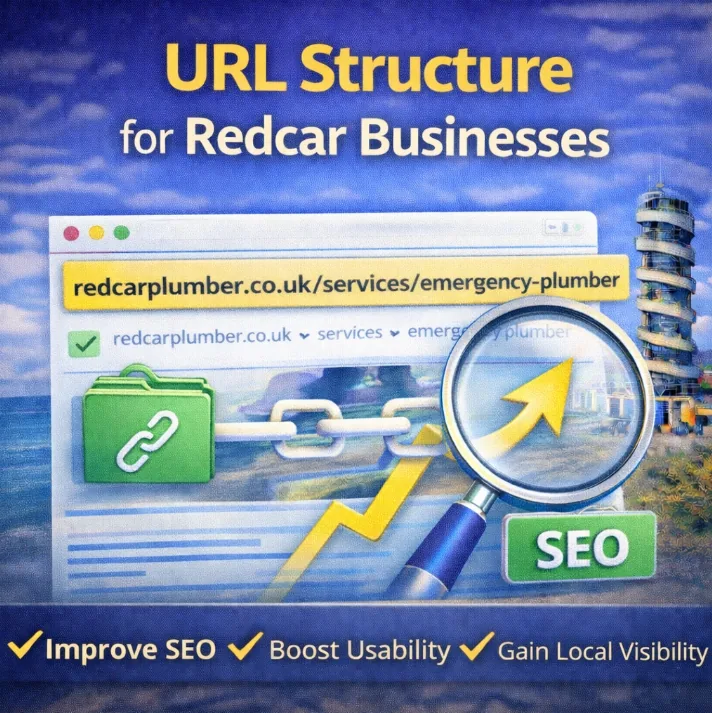
You might have the sharpest looking shop window on the Redcar High Street, but if your website’s URL structure looks like this:
yourdomain.com/cat-id-88
You are already fighting a losing battle.
Why? Because Google absolutely detests messy links.
Unfortunately, many local business websites are set up exactly like this by default. Whether you are a florist in Marske or run a cafe on the Esplanade, this technical oversight could be costing you customers.
Set it up correctly, however, and you can easily leapfrog your local competition in the rankings.
Let’s look at how to get it sorted.
What Do We Mean by URL Structure?
Think of your URL structure as the signposting system for your digital premises. It is how you label each “aisle” or “room” so that both Google and your potential customers know exactly where they are standing and what they are looking at.
It is not just about where your content sits on the server. It is about how clearly you communicate the content of a page before a user even clicks on it.
Consider these two examples for a local bakery:
❌ /2024/09/bakery-posts-about-sourdough
✅ /sourdough-bread-guide
The first one is cluttered. It is bloated, dated, and vague. Google does not need the timestamp, and frankly, neither do your hungry customers.
The second one? Google loves it. It is concise, descriptive, and straight to the point. It screams relevance.
A solid structure helps with your rankings, improves click-through rates from the SERPs, and makes your site feel polished. You don’t need a degree in computer science to get this right.
To ensure you are crafting solid links, ask yourself this:
- Does it look tidy?
- Does it look like a human wrote it?
- Would someone instantly know what the service is before they click?
If the answer to all three is yes, you have nailed it.
Why Google Obsesses Over Your Links
Here is the honest truth: Google does not rank websites. It ranks individual pages.
That means every single page on your site needs to be crystal clear about its purpose. Your URL structure plays a massive role in that.
Clean, logical links make it easier for search engines to:
- Understand the topic of each page
- Crawl your site efficiently
- Match your pages to the correct search intent
Messy, bloated, or inconsistent links? They slow search engines down, create confusion, and hurt your chances of hitting page 1 for local searches. If your links are hard for a human to read, they are likely a nightmare for Google too.
The Anatomy of a Perfect Local Business URL
If you want to rank your services and get real people to click on them, your URLs need to be short, clean, and clear.
Let’s say you are a joiner wanting to rank for “bespoke wardrobes” in Redcar.
Your URL should look like this:
yourdomain.com/joiner-redcar/bespoke-wardrobes
Here is why that works:
- It is readable: No one wants to click a jungle of random numbers and symbols.
- It includes the right keywords: “Joiner Redcar” and “bespoke wardrobes” are both there, naturally.
- It follows a hierarchy: Location or main service first, then the specific product.
Combine that with a few golden rules:
- Always use hyphens, never underscores.
- Keep everything lowercase.
- Avoid “stop words” (words like “and”, “the”, “of”).
- Do not stuff keywords. Clean beats crammed every time.
- Keep the folder structure flat (do not bury pages five clicks deep).
Here are a few formats that work wonders for different page types:
| Page Type | Clean URL Example |
| Homepage | / |
| Service Page | /accounting-services |
| Location Page | /plumber-saltburn |
| Blog Post | /blog/sourdough-vs-yeast |
There is no mystery here. Just focused links that help Google understand your business and help customers land exactly where they need to be.
How to Set Clean URLs in WordPress
If you are building a new site for your business or finally giving your old one a proper upgrade, sorting your permalinks should be your first job.
It is quick, painless, and saves a mountain of SEO headaches down the line. Plus, it gives you the benefits we have already outlined.
Here is how to do it in WordPress:
- Head to your WordPress dashboard.
- Go to Settings > Permalinks.
- Select the option called “Post name”.
- Hit Save.
That is it. From now on, every new page or blog post will automatically generate a clean, readable link based on your title.
Important Warning:
Only do this if your site is brand new or not ranking for anything yet. If your site is already live and getting traffic, changing permalinks can break links and kill rankings unless you set up proper redirects.
Cleaning Up Old Links (Without Destroying Your SEO)
Got a bunch of messy, SEO-wrecking links on your current site? You can clean them up, but you must do it carefully.
The wrong way to do it involves simply changing the URL and hoping for the best. This breaks the old link, tanks your rankings, and gives visitors a 404 error page.
Here is how to do it correctly using 301 redirects.
Using Yoast SEO
If you are using Yoast, it is incredibly simple:
- Go to the page you want to fix.
- Edit the URL slug to something short and clean (e.g., change /product-id-cakes-lemon to /lemon-drizzle-cake).
- Yoast will often automatically ask if you want to create a 301 redirect. If not, you can add it manually in the redirects section.
- Click Update.
This tells Google that your page has moved permanently. It keeps your rankings, backlinks, and authority safe.
Common Mistakes Redcar Businesses Make
Here is what you should NOT be doing when setting up your links:
1. Sticking with Default Settings
If your link looks like /?p=123, you are telling Google nothing about the content. It is like answering “maybe” when a customer asks if you are open. Always switch your settings to “Post name”.
2. Stuffing Titles into URLs
Bad example: /the-best-chocolate-fudge-cake-recipe-in-cleveland-2024
That is a mouthful for humans and bots.
Clean it up: /chocolate-fudge-cake
Keep it clear and focused. You are creating a digital signpost, not writing a novel.
3. Using Dates on Service Pages
Unless you are a news outlet, dates in URLs are dead weight.
Example: /2023/services/boiler-repair
Not only does it make the link longer, but it also instantly dates your content. It looks old, even if you just updated the page today. Drop the timestamp.
4. Capital Letters and Underscores
URLs are case-sensitive in some situations. Furthermore, Google treats underscores _ and hyphens – differently.
❌ /Wedding_Cakes
✅ /wedding-cakes
Always use lowercase letters and hyphens. They are easier to read and much safer for SEO.
The Role of Breadcrumbs and Hierarchy
It is not just about the individual URL; it is about how they all fit together. A good URL structure often mirrors your breadcrumbs trail.
If you run a hardware store, your structure might look like this:
Home > Products > Tools > Hammers
Which translates to:
/products/tools/hammers
This logical hierarchy helps Google understand that “Hammers” is a sub-category of “Tools”. It builds topical authority and helps you avoid keyword cannibalisation by ensuring pages don’t compete with one another.
You Can’t Rank What Google Can’t Read
Your URL structure is not just about looking tidy. It is about giving search engines and your customers a clear roadmap to follow.
Clean, logical links make your site:
- Easier to navigate
- Easier to crawl
- Easier to rank
Most local businesses will never sort this out. They will leave the default settings and wonder why they are stuck on page 3.
But you? You are now armed with the playbook. Fix your URLs, and you have added one more edge that moves you closer to that top spot.
It is a small job that pays off big.