




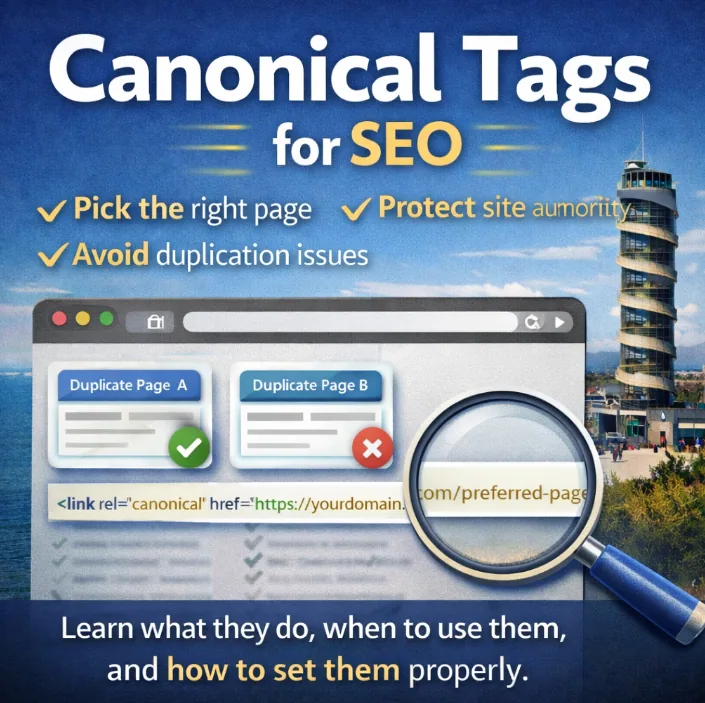
Most business owners have never heard of canonical tags.
That’s not a problem in itself.
The problem is that most websites rely on them without realising it – and when they’re missing, incorrect, or contradictory, Google ends up unsure which pages it should actually rank.
If your site contains duplicate or near-duplicate content (and almost every site does), canonical tags help prevent:
- authority being split across multiple URLs
- pages competing against each other
- the wrong version appearing in search results
- crawl budget being wasted
None of this usually causes a dramatic crash.
It causes something worse: slow, silent underperformance.
Let’s break down what canonical tags actually do, when you need them, and how to use them properly.
What Is a Canonical Tag (In Plain English)?
A canonical tag is a short line of HTML that tells search engines:
“This is the main version of this page. Treat it as the priority in search.”
It lives in the <head> of a page and points to a preferred URL.
Example:
<link rel=”canonical” href=”https://yourdomain.com/example-page” />
What this does not mean:
- It does not hide pages
- It does not delete content
- It does not block users
What it does mean:
- Google should consolidate ranking signals to one version=
- Similar pages should not compete with each other
- Authority flows where you intend it to
Think of canonicals as clarity signals, not restrictions.
Why Canonical Tags Matter (Especially for Local Websites)
Google’s job is to decide which page best answers a search.
Your job is to make that decision as easy as possible.
When multiple URLs contain very similar content, Google may:
- index all of them
- rank the wrong one
- split backlinks across versions
- struggle to understand page relationships
Canonical tags solve this by explicitly stating your preference.
This is especially important for local business websites, where duplication often appears naturally as the site grows.
How Google Actually Sees Duplicate Pages (This Is the Bit Most People Miss)
When people hear “duplicate content,” they often imagine spam.
That’s rarely the case.
What usually happens is far more mundane – and far more common.
From Google’s perspective, each unique URL is a potential page, even if the content looks identical to a human.
So if your site can be accessed via:
- tracking parameters
- filters
- categories
- similar service pages
- multiple URL versions
Google may be looking at several URLs that all appear to answer the same question.
When that happens, Google has to make a decision:
- Which version should rank?
- Which version should receive backlinks?
- Which version should be crawled more often?
If you don’t make that decision clear, Google will make it for you – and it doesn’t always choose the one you’d expect.
Canonical tags step in here as a tie-breaker.
They don’t say “ignore this page”.
They say:
“If you’re choosing between similar options, this is the one that matters.”
That clarity prevents:
- authority being split
- pages cannibalising each other
- weaker versions outranking stronger ones
This is why canonicals aren’t about fixing “bad SEO” – they’re about guiding Google’s interpretation of a growing site.
How to Audit Canonical Tags on Your Own Website
You don’t need to be a technical SEO to spot canonical issues – but you do need to look in the right places.
Here’s a practical, DIY-friendly way to approach it.
Step 1: Ask the right question first
Before touching tools, ask:
“Is Google ranking the page I actually want it to rank?”
If:
- the wrong version is showing
- a weaker page is appearing
- rankings feel inconsistent
Canonical issues are often part of the picture.
Step 2: Crawl your site with a proper auditing tool (optional, but useful)
Tools like Sitebulb or similar site crawlers are designed to surface canonical problems quickly.
A crawl will typically highlight:
- pages missing canonical tags
- pages where the canonical doesn’t match the URL
- duplicate content clusters
- canonical loops (page A points to B, B points back to A)
You don’t need to understand every metric – just focus on patterns.
Step 3: Pay attention to these common flags
During an audit, the most useful things to look for are:
- Missing canonicals: Pages that don’t clearly state their preferred version.
- Canonical ≠ URL: The page is telling Google another URL should rank – check this is intentional.
- Multiple pages claiming to be canonical: Similar pages all pointing to themselves can compete unnecessarily.
- Canonicals pointing to non-indexable pages: For example, canonicals pointing to URLs blocked by noindex or redirects.
None of these are dramatic on their own – but together, they explain a lot of underperformance.
Step 4: Apply one clear rule per page
For every important page on your site, decide one thing:
- Should this page rank on its own?
→ Use a self-referencing canonical. - Should another page receive the SEO credit instead?
→ Canonical to that page.
Avoid vague intent. Google responds best to clarity.
Step 5: Re-check after site changes
Canonical issues often appear after:
- redesigns
- URL changes
- content expansion
- new landing pages
Any time structure changes, canonicals should be part of the checklist – just like redirects and internal links.
Canonical Tags vs 301 Redirects vs Noindex
These tools are often confused because they all influence how Google handles pages.
They are not interchangeable.
Understanding the difference prevents expensive mistakes.
Canonical Tag
Meaning: “This page can exist, but another version should receive ranking credit.”
Use it when:
- content is similar but still useful
- you want users to access multiple versions
- you need to consolidate signals
Canonicals are ideal for near-duplicate content that still serves a purpose.
301 Redirect
Meaning: “This page is permanently gone. Send users and search engines elsewhere.”
Use 301 redirects when:
- a page has been removed
- content has been merged
- a URL has changed permanently
Redirects remove ambiguity and pass authority cleanly.
Noindex Tag
Meaning: “Don’t include this page in search results.”
Use it when:
- a page is useful to users but not meant to rank
- examples include thank-you pages, internal tools, or confirmation screens
Google may still crawl these pages, but they won’t appear in search.
One page = one instruction
Avoid telling Google:
- “This page is the main one” and
- “Don’t index this page”
Conflicting signals lead to unpredictable behaviour.
Each page should send one clear message.
How to Set Canonical Tags Correctly
The method depends on your platform, but the principles remain the same.
WordPress (Yoast or Rank Math)
Most WordPress sites already support canonical tags via SEO plugins.
On individual pages, you’ll find a Canonical URL field under advanced SEO settings.
Best practices:
- Always use the full URL
- Include the correct protocol
- Be intentional
Every important page should usually have a self-referencing canonical, unless you’re deliberately consolidating elsewhere.
Website builders (Squarespace, Wix, similar)
These platforms often limit canonical control.
Some handle basics automatically. Others require developer mode or injected code.
If SEO matters to your business, it’s worth understanding:
- what control you actually have
- how duplicates are handled by default
This doesn’t mean these platforms are unusable – but it does affect how precise you can be.
Custom or HTML sites
For custom builds, add the canonical tag directly inside the <head>:
<link rel=”canonical” href=”https://yourdomain.com/preferred-page” />
Each page should either:
- reference itself, or
- intentionally point elsewhere
Consistency is key.
Common Canonical Mistakes (That Quietly Hurt SEO)
Canonical issues rarely cause instant drops – which is why they’re often missed.
Common mistakes include:
- missing canonicals on important pages
- multiple pages canonically pointing at each other
- canonicals pointing to non-indexable URLs
- pointing to HTTP when HTTPS is preferred
- forgetting to update canonicals after site changes
These don’t always break things – they just stop pages performing as well as they should.
How to Audit Canonicals (Without Overcomplicating It)
At a basic level, ask one question:
Is Google ranking the page I want it to rank?
If the answer is no, canonicals may be part of the reason.
SEO audit tools can help surface:
- missing canonicals
- conflicting instructions
- duplicate clusters
- loops and inconsistencies
But even without tools, a consistent approach goes a long way:
- important pages should clearly self-reference
- similar pages should not compete
- your preferred URLs should be obvious
Canonical Tags Are Protective, Not Optional
Canonical tags don’t magically boost rankings.
What they do is protect the authority your site already earns by ensuring it isn’t diluted, split, or misdirected.
Most canonical issues don’t come from spam or shortcuts – they come from growth, changes, and perfectly normal site evolution.
Handled properly, canonicals keep everything aligned as your site develops.