




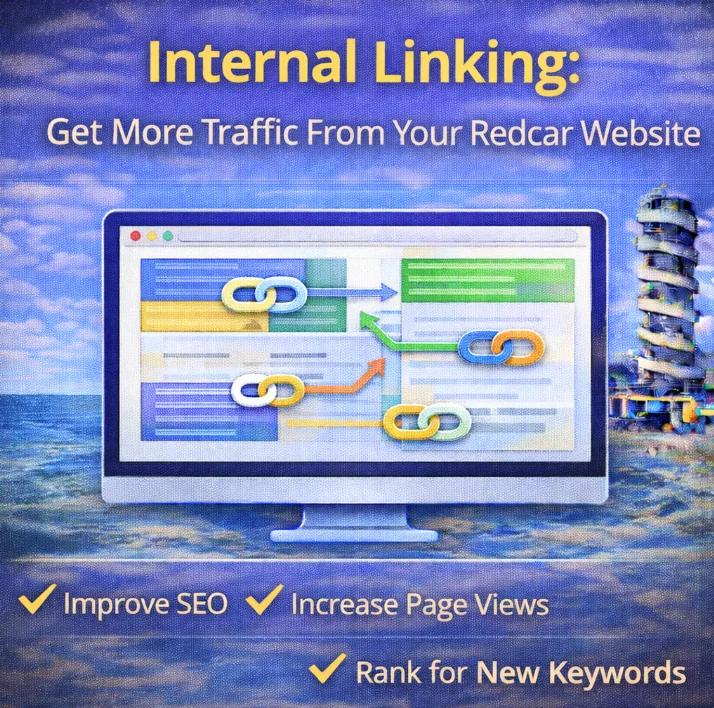
Internal linking is one of the most underused levers in local Redcar SEO.
Not because it’s complicated.
Because most Redcar businesses treat it casually.
They link things together when it feels relevant and assume that’s enough. Sometimes it is.
Most of the time, it leaves performance on the table.
Internal linking shapes how Google understands your site and how people move through it.
When it’s intentional, it drives traffic to the pages that actually make money.
This guide breaks it down properly:
- what internal linking is
- why it matters for local SEO
- the types of internal links that move the needle
- how to structure links so important pages get priority
- how to build a clean internal linking system that scales
Let’s jump in:
What Internal Linking Actually Is
Internal linking connects pages on your website using clickable links.
A simple example:
Your homepage links to your Redcar Services page.
That services page links to individual service pages.
Those service pages link to relevant blog content or location pages.
Each link provides context.
For users, it shows where to go next.
For Google, it explains how pages relate to each other.
When pages are linked logically, Google understands your site faster and more accurately.
Authority flows through those links. Important pages receive more attention. And in theory, means that the pages you care about move up the SERPs.
Let’s talk more about the benefits:
Why Internal Linking Matters for Local SEO
Crawling and Indexing
Google finds pages by following links.
Pages that aren’t linked internally often get discovered late or ignored altogether. This is common on newer sites and on sites that add pages without updating older content.
Publishing a new service or location page works better when it’s linked from places Google already trusts on your site.
That alone speeds up discovery.
Authority Distribution
Not every page on your site carries the same weight.
Your homepage and main service pages usually attract the most attention, links, and engagement. Internal links allow that authority to flow to other pages that need help.
This matters most for:
- service pages
- location pages
- high-intent conversion pages
When those pages receive internal links from stronger pages, they perform better without relying on external backlinks.
User Engagement and Conversions
Internal linking guides behaviour.
When someone lands on a blog post, a relevant internal link points them toward a service, explanation, or next step. That keeps them on the site longer and moves them closer to taking action.
A visitor reading about a problem should be able to reach a solution without searching.
That’s structure doing its job.
Content Hierarchy
Internal links signal importance.
Pages that receive more internal links are treated as more significant. Pages that receive very few look secondary.
If a low-value blog post is linked everywhere and a key service page is barely linked at all, Google draws the wrong conclusion.
Internal linking is how you correct that imbalance.
Types of Internal Links Every Local Business Should Use
Contextual Links
These are links placed naturally inside content.
They appear in sentences, paragraphs, and explanations. They carry the most value because they’re relevant by context, not forced.
Example:
A blog post discussing pricing links to a related Redcar service page using descriptive anchor text that fits the sentence.
Contextual links guide users and distribute authority at the same time.
Navigation Links
These include menus, sidebars, and footers.
They define the backbone of the site and help users move between major sections.
Navigation works best when it’s restrained.
A small number of core services in the main menu. Supporting links in the footer. No clutter.
Navigation exists to guide, not overwhelm.
Related Content Links
These are common on blog posts.
They point readers to other relevant articles, guides, or explanations.
Used well, they keep people engaged and position your business as a helpful resource rather than a one-page destination.
They also create natural pathways toward service pages without forcing a sale.
Call-to-Action Internal Links
These links move visitors toward conversion.
They appear where intent is highest: service pages, blog conclusions, explanatory sections.
A CTA link should feel like the next logical step, not an interruption.
Clear, relevant, and purposeful.
(Hint: you’ll see one at the end of this blog ;) )
How To Structure Internal Links: Silo Setups
Random internal linking works. Structured internal linking works better.
A silo groups related pages together through intentional linking. This strengthens topical relevance and ensures authority flows where it matters.
Hierarchical Silo
This structure moves from broad to specific.
Homepage → Service Category → Specific Service → Supporting Content
It works well for sites with multiple services and supporting content.
Each category acts as a central reference point.
Flat Silo
Pages within the same category link directly to each other.
This keeps everything accessible within one or two clicks and works well for smaller sites or closely related services.
It’s efficient and easy to manage.
Hub and Spoke Model
One central page covers a broad topic. Supporting pages expand on subtopics. All pages link back to the hub.
This model suits blog clusters and educational content. It builds strong topical authority around a subject.
Service pages can then link into the hub to reinforce relevance.
Location-Based Silo
This structure supports businesses targeting multiple areas.
Main service page → Location pages → Localised supporting content
Each location stays distinct while remaining connected to the core service.
How to Build a Strong Internal Linking System
Audit What You Already Have
Start by identifying pages with few or no internal links, broken links, or weak connections.
Tools help. Manual review works too.
Orphan pages and underlinked service pages should be addressed first. To do this properly, consider a local SEO audit.
Identify Your Money Pages
Not every page matters equally.
Money pages usually include:
- core services
- key location pages
- conversion-focused landing pages
Internal links should support these pages consistently.
Build Topic Clusters
Cluster content around services or problems.
A main page acts as the pillar. Supporting pages explain related questions. Links flow between them naturally.
This strengthens relevance and makes site structure clearer.
Use Natural Anchor Text
Anchor text should describe what the linked page is about.
It should read naturally inside the sentence. Over-optimisation looks forced and unnecessary.
Clear language works better than clever wording.
Link as You Publish
Every new page should link to existing relevant pages from day one.
This habit prevents orphan pages and keeps internal structure strong without needing constant cleanup later.
Final Words
Internal linking isn’t a trick.
It’s a system.
It helps Google understand your site.
It helps users find what they need.
It pushes attention toward the pages that matter most.
Done consistently, it improves visibility, traffic, and conversions without adding new content or chasing backlinks.
If your site feels flat, disorganised, or underperforming, internal links are often where the fix starts.