




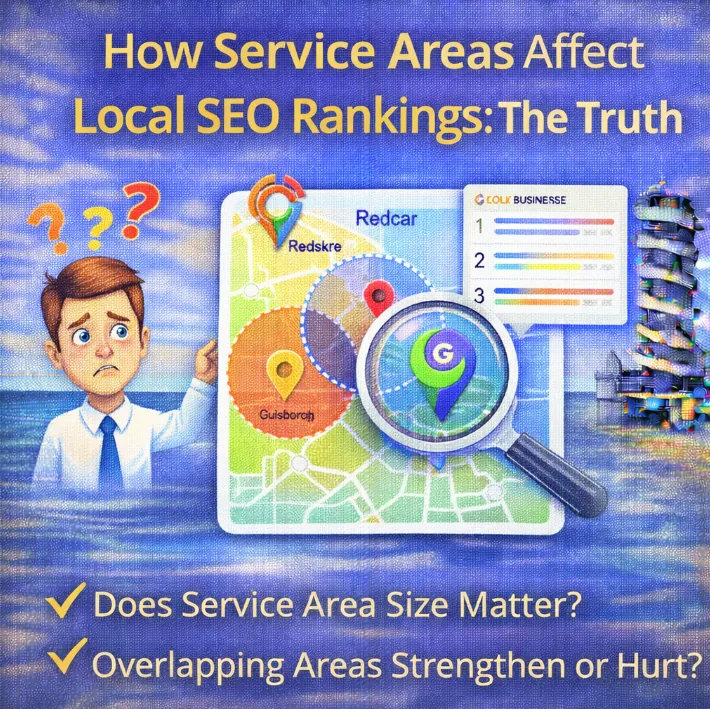
If you run a local business here in Redcar or anywhere across the Teesside area, you have probably spent a fair bit of time staring at your Google Business Profile. It is the lifeblood of local visibility, right? You verify your postcard, you upload your photos, and then you get to that section that asks you to define your “Service Area”.
This is usually where the eyes light up.
You think to yourself, “Well, I might be based in Redcar, but I would quite happily drive to Middlesbrough, Stockton, Hartlepool, and hey, maybe even Darlington if the job is big enough.” So, naturally, you start adding every town and village within a fifty-mile radius into your profile.
The logic seems sound. You tell Google you serve these areas, so Google should rank you in these areas. Simple.
Except, it is not simple. In fact, it is one of the biggest misunderstandings in the entire world of Local SEO ranking factors.
I talk to business owners all the time who are frustrated because they have listed “Whitby” as a service area, but they are nowhere to be found when someone in Whitby searches for their services. Today, we are going to tear down the myths, look at the cold hard facts of the algorithm, and explain exactly how service areas actually affect your rankings (spoiler alert: it is probably not how you think).
The Big Misconception: The “Radius of Ranking” Myth
Let’s start by addressing the elephant in the room. There is a widespread belief that the “Service Area” section in your GBP dashboard is a control panel for your rankings. Business owners assume that by typing a location name into that box, they are essentially planting a flag in the digital ground that says, “Rank me here, Google.”
If only it were that easy.
If that were how it worked, every plumber in Redcar would list London, Manchester, and Birmingham as service areas, and local search results would become an absolute mess of businesses located hundreds of miles away. Google does not want that. Google wants to show users the most relevant, nearby options.
Here is the golden rule you need to memorise: Setting a service area does not expand your ranking proximity.
Your physical address on GBP is the anchor. That verified location where Google sent the postcard? That is the centre of your universe. Your ability to rank in the “Local Pack” (the map pack with three listings) is heavily tied to how close the searcher is to that specific verified address.
Adding “Middlesbrough” as a service area does not make Google treat your business as if it is located in Middlesbrough. It just tells Google (and your customers) that you are willing to travel there.
So, What Is the Point of Service Areas?
If they do not directly boost your rankings in distant towns, you might be wondering why you should even bother filling them out. Is it a waste of time?
Absolutely not. While they might not be a direct ranking lever that magically places you in the map pack for towns you are not located in, they serve three critical functions:
- Conversion and Clarity: When a potential customer finds you, they need to know if you can actually help them. If I am in Marske and I find a builder based in Redcar, seeing “Marske-by-the-Sea” listed in their service areas gives me the confidence to call. It removes a barrier to entry.
- Visual Confirmation: On your Google Maps listing, setting service areas creates a little red outline on the map that shows users your territory. It looks professional and helps users instantly visualise your reach.
- Ad Relevance: If you are running Google Ads, having your profile data align with your ad targeting can help with quality scores and location extensions, though this is a slightly different beast to organic local SEO.
Think of service areas less as a “Ranking Tool” and more as a “Customer Experience Tool”.
The Two Types of Business Profiles
To understand how this works for you, we need to clarify what type of business Google thinks you are. Google categorises local businesses into three main buckets, and the rules are slightly different for each.
1. Storefront Businesses
These are businesses where the customer comes to you. Think of a coffee shop on the High Street, a barber, or a dentist. You serve customers at your address. For these profiles, the address is visible, and the “Service Area” section is often less relevant (or not used at all).
2. Service-Area Businesses (SABs)
These are businesses that go to the customer. Think of a mobile dog groomer, a plumber, or a locksmith. You might verify your business at your home address in Redcar, but you do not want angry customers showing up at your front door while you are eating your tea. So, you hide your address. Google calls this a “Service-Area Business”.
3. Hybrid Businesses
These are the best of both worlds. You have a showroom or a shop people can visit, but you also deliver or go out to clients. A florist is a great example. You can buy flowers in the shop, or they can deliver them to a venue.
The confusion about rankings usually hits the Service-Area Businesses the hardest. Because you have hidden your address, you rely entirely on the service area settings to tell the world where you operate. But remember, even if the address is hidden from the public, Google still knows exactly where it is. And that hidden coordinate is still the primary factor for your local ranking proximity.
The “Proximity” Problem in Local SEO
Let’s dig a bit deeper into why you are not ranking in the next town over.
Google’s local algorithm looks at three main pillars: Relevance, Prominence, and Distance.
- Relevance: Does your business do what the user is searching for? This is where your GBP categories and description come into play.
- Prominence: How well-known are you? Do you have lots of GBP reviews? Do you have strong backlinks?
- Distance: How far is the verified business location from the searcher?
That “Distance” factor is the killer.
Google has tightened up the proximity factor significantly over the years. If someone in Saltburn searches for “Emergency Plumber”, Google wants to show them plumbers who are physically in or extremely close to Saltburn. Even if you are the best plumber in Redcar (just a 10-minute drive away) and you have “Saltburn” listed as a service area, Google will prioritise a mediocre plumber who is physically located in Saltburn over you.
It can feel unfair. You know you can get there quickly. You know you provide a better service. But the algorithm is obsessed with the user’s location relative to your business address.
This is a common reason why you’re not ranking locally in the areas you want to target. It is not that your SEO is broken; it is that you are fighting a geography battle.
How to Set Up Service Areas Correctly
Okay, so we know it won’t magically rank us in London, but we still need to set it up properly for the sake of our customers and data accuracy. Here is how to do it right.
The 20-Area Limit
Google allows you to add up to 20 service areas. These can be cities, postcodes, or counties.
My advice: Be specific. Do not just put “UK” or “North East”. List the specific towns and postcodes that matter most to you. Redcar, Marske, Saltburn, Guisborough, Eston, Middlesbrough. Using specific location names helps with relevance signals, even if it doesn’t override the proximity factor.
The 2-Hour Rule
Google’s guidelines state that your service area should not extend much beyond a 2-hour driving time from your base. If you are a locksmith in Redcar, listing a service area in Edinburgh is going to look spammy. It triggers alarm bells for Google. They might suspend your listing if they think you are trying to game the system by appearing relevant for areas you cannot realistically serve on a daily basis.
Keep It Consistent
Ensure that the areas you list on your GBP match what you say on your website. NAP consistency (Name, Address, Phone number) is huge in SEO, but consistency in your service claims matters too. If your website says “Serving all of Yorkshire” but your GBP only says “Redcar”, it sends mixed signals.
If Service Areas Don’t Rank Me Elsewhere, What Will?
This is the million-pound question. You are based in Redcar, but you really want those juicy leads from Middlesbrough. If changing your GBP service area doesn’t work, what does?
You have to move away from relying solely on the Map Pack and start looking at organic search results. This is where your website comes in.
1. Location Pages
This is the most powerful strategy for service-area businesses. You create specific pages on your website dedicated to the areas you want to serve.
For example, you would have a page for “Plumber in Redcar” (your home base) and a separate page for “Plumber in Middlesbrough”.
On these location pages for local SEO, you write unique, highly relevant content about the services you offer in that specific town. You talk about local landmarks, you use local keywords, and you make it clear that while you are based nearby, you service this area daily.
When someone in Middlesbrough searches, your GBP might not show up in the map pack (because of the distance), but your website page can rank at the top of the organic text results below the map. That is how you win.
2. Localised Content
Beyond just service pages, think about your blog. Can you write localised content that appeals to customers in those neighbouring towns? Case studies are great for this. “How we fixed a boiler emergency in Guisborough” is a fantastic blog post title that signals relevance to that area.
3. Build Authority
To rank in areas where you are not physically located, your website needs to be stronger than the local competition. This means you need better topical authority and a stronger backlink profile. If your site is authoritative enough, Google will trust you to serve a wider radius in the organic results.
The “Spam” Trap: What NOT to Do
In an effort to expand their reach, I see business owners doing some dodgy things with their GBP. Please, do not do these.
1. Creating Multiple Listings
You might think, “I’ll just rent a virtual office in Stockton and verify a second GBP there.”
Google is very smart. They know which addresses are virtual offices, PO boxes, or co-working spaces. This is a violation of their guidelines. If you get caught (and you likely will), they won’t just delete the fake listing; they could suspend your main Redcar listing too. It is not worth the risk.
2. Keyword Stuffing Service Areas
Do not try to be clever by adding “Plumber Redcar” as a service area city name. Just put “Redcar”. Google’s algorithms are sophisticated enough to understand entities and geography. Trying to trick them usually ends in a local SEO audit revealing a penalty.
When DOES a Service Area Impact Ranking? (The Exception)
I said earlier that service areas don’t directly impact ranking proximity. However, there is a nuance here regarding implicit searches.
If someone searches for “Plumber” (no location specified), Google uses their phone’s GPS. Proximity is king here.
But, if someone is sitting in London and searches for “Plumber in Redcar” (an explicit search), Google looks for businesses relevant to Redcar.
In this scenario, having Redcar defined in your service area (and your content) helps confirm you are a candidate for that search, even if the searcher is far away. It helps establish the boundary of your relevance.
Furthermore, user behaviour impacts rankings.
If you set your service areas correctly, and users see that you cover their town, they are more likely to click your listing.
A high Click-Through Rate (CTR) is a strong signal to Google that you are a popular, relevant business. So, indirectly, accurate service areas can help improve your standing over time by generating better user engagement.
How to Audit Your Own Service Areas
Right, time for some homework. Open up your Google Business Profile dashboard and take a look at your service areas.
- Are they accurate? Do you actually go there? If you have listed Newcastle but you charge a £50 call-out fee just to drive there, maybe remove it. It will likely lead to bad reviews or annoyed customers.
- Are they specific? Swap out broad counties for specific high-population towns you want to target.
- Are you a Service Area Business or Hybrid? Check if your address is showing. If you work from home, ensure that address is hidden to keep your family safe and to comply with Google’s rules.
- Check your insights. Are you getting visibility in the areas you listed? If not, it is time to look at your local SEO content strategy on your website to support those areas.
Summary
The relationship between service areas and rankings is one of the most confusing aspects of digital marketing for local trades and services.
Here is the takeaway: Do not rely on the “Service Area” settings in GBP to rank you in towns where you do not have a physical address.
It is a tool for customer information, not a magic SEO wand.
If you want to dominate the search results across the whole of Teesside, you need a two-pronged attack.Use your GBP to dominate your immediate local vicinity (Redcar), and use your website’s service pages and organic SEO strategy to capture the traffic from the surrounding towns.