




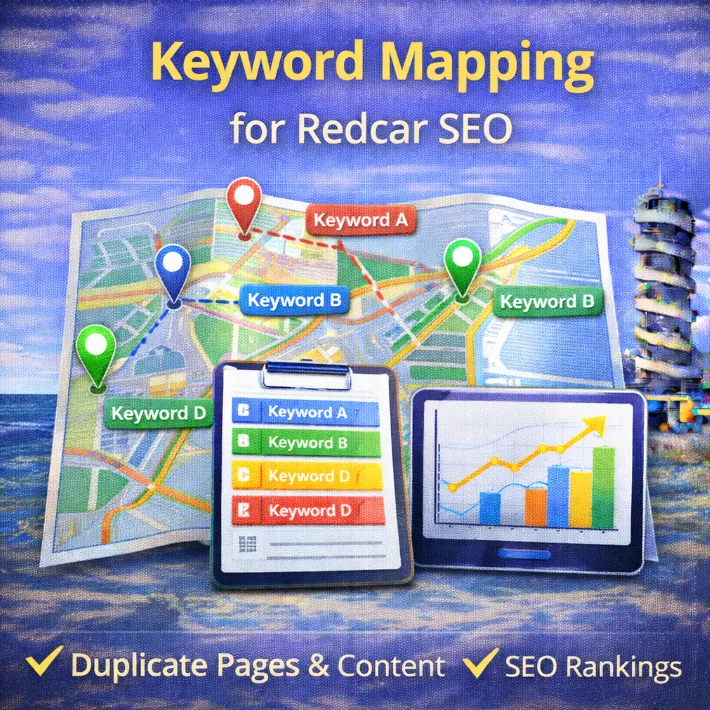
Keyword mapping is one of the most important SEO steps local businesses in Redcar skip.
Not because it’s difficult.
Because it sounds boring.
Pages get written. Blogs get added. Services expand. Locations creep in. All without a plan tying things together.
The result isn’t more visibility; it’s just confusion, headaches and wondering what the h*** you were thinking if you have to stop working on your website for longer than a week.
Not to mention the fact that Google struggles to understand which pages matter.
So then pages compete with each other, causing rankings to stall. This is often known as keyword cannibalisation.
Keyword mapping fixes that.
Let’s see how:
What Keyword Mapping Actually Is
Keyword mapping is the process of assigning one main keyword to one specific page on your website.
That page becomes the primary answer for that search.
Google knows what it’s for.
Users land on the right page.
Internal links make sense.
Think of it like roles in a business.
If three people all think they’re responsible for the same task, nothing runs smoothly. When each person has a defined role, things move.
Your website works the same way.
Why Keyword Mapping Matters for Redcar Businesses
Keyword mapping doesn’t just help pages rank.
It helps Google understand your business as a whole.
When your website has clear service pages, defined topics, and no overlap, Google can connect your site more confidently to local searches in Redcar and surrounding areas.
That clarity supports:
- stronger relevance for service-based searches
- more consistent Google Maps visibility
- cleaner alignment between your website and Google Business Profile
If your site sends mixed signals, your local presence inherits that confusion.
Keyword mapping simplifies the question Google is trying to answer:
What does this business do – and who is it for?
Common Keyword Mapping Mistakes I See on Redcar Business Websites
After running a local SEO audit on a lot of Redcar and Teesside business sites, the same mistakes show up again and again.
These aren’t theory problems. They’re practical ones.
Creating multiple “service + Redcar” pages
Businesses often create several pages all targeting the same service and location, just worded differently. Google doesn’t see variety – it sees duplicate content.
Turning blog posts into accidental service pages
Blogs that drift into selling mode end up competing with actual service pages. Blogs should support services, not replace them.
Using location pages as blog pages
Location pages should focus on availability and relevance. When they turn into long opinion pieces, intent gets muddy.
Not updating old pages when new ones go live
New pages get published. Old ones stay untouched. Internal links don’t get updated. Overlap creeps in silently.
Keyword mapping fixes all of these by forcing decisions before pages go live.
How to Build a Keyword Map (Without Turning It Into a Project)
Step 1: Define What You Actually Offer
Before touching any keyword tool, get clear on fundamentals.
For a Redcar business, this usually includes:
- core services
- locations served (Redcar, Teesside, nearby towns)
- problems customers ask about repeatedly
If people keep asking the same questions, those questions belong in your content plan.
They’re not “nice-to-have” blog ideas. They’re demand signals.
Step 2: Do Focused Local Keyword Research
Take your services and questions and validate them with real searches.
You can use keyword research tools like:
- Google Keyword Planner
- Google autocomplete
- “People also ask” boxes
You’re looking for local, intent-driven searches, not massive volumes.
Examples for Redcar businesses:
- “accountant Redcar”
- “SEO Redcar”
- “website not showing on Google”
- “Google Business Profile suspended”
- “how customers find local businesses”
Low volume doesn’t mean low value. Local intent converts.
Step 3: Group Keywords Into Clusters
Not every keyword needs its own page.
Related keywords belong together under one clear topic.
For example:
Pillar page:
“SEO Services in Redcar” (or your main service page)
Supporting content:
“How Redcar Businesses Get Found on Google”
“Local SEO vs Google Ads”
“Why Your Website Isn’t Showing on Google”
Each supporting page links back to the content pillar. Each page targets a different search intent.
This builds topical authority without overlap.
Step 4: Map Keywords to Pages
Now open a spreadsheet.
Each row represents one page.
Create columns for:
- Page type (service, blog, location)
- Primary keyword
- Secondary variations (related, not competing)
- Target URL
- Status (live, planned, needs optimisation)
- Last updated
This becomes your SEO control centre.
You can see what exists, what’s missing, and what to prioritise next.
Secondary keywords don’t break the “one keyword per page” rule – as long as they support the same topic and intent.
Step 5: Eliminate Duplication
This is where most Redcar business sites fall down.
Go through your map and ask:
“Do two pages target the same keyword or intent?”
If yes, decide what stays.
Options:
- merge pages into one stronger page
- redirect the weaker page
- reposition one page to target a different intent
The rule stays simple:
One page. One purpose. One primary keyword.
Step 6: Use the Map as a Publishing System
A keyword map isn’t just documentation.
It’s your roadmap.
Use it to:
- decide what to publish next
- prioritise high-intent keywords
- avoid accidental cannibalisation
- brief writers or agencies clearly
Instead of guessing what to work on, the decision is already made.
When Redcar Businesses Should Review Their Keyword Map
A keyword map isn’t something you create once and forget.
For most Redcar businesses, a light review every 3–6 months is enough.
Revisit it when:
- you add a new service
- you expand into a new area
- rankings stall unexpectedly (see why you’re not ranking locally)
- your Google Business Profile activity changes
You’re not rebuilding it from scratch.
You’re checking for overlap, gaps, and missed opportunities.
Five minutes of review can prevent months of wasted effort.
Final Thoughts
Most Redcar businesses don’t lose at SEO because they’re bad at it.
They lose because they’re unstructured.
Keyword mapping replaces chaos with intent.
That’s how small local sites outperform bigger competitors with less content and less effort.