




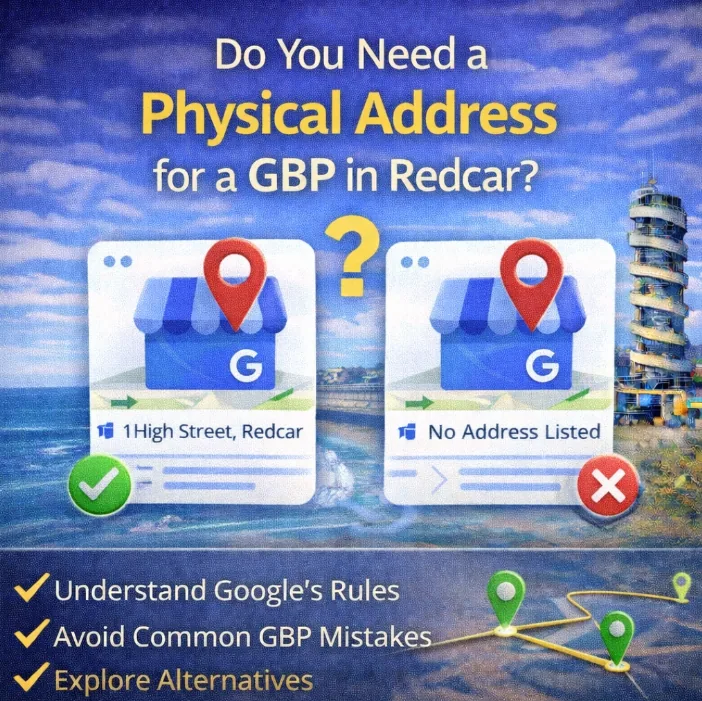
If you run a local business in Redcar, this matters more than most people realise.
Your physical address isn’t just a detail on your Google Business Profile – it’s one of the core signals Google uses to decide whether, where, and how often your business shows up in Maps.
It’s about GBP visibility, trust, and suppression.
You can have reviews, photos, and posts dialled in – but without a solid address signal, your profile is far more likely to sit quietly in the background while competitors get the calls.
And Google won’t warn you when that’s happening.
In this guide, we’ll look at how physical addresses actually affect your Google Business Profile, when you can hide one safely, and what happens when you don’t use one at all – especially in competitive local areas like Redcar.
Why Google Cares About Physical Addresses on GBP
Google Business Profile exists to answer one question for users:
“Which real business near me should I trust?”
In a place like Redcar, where searches are highly location-driven, a physical address is how Google anchors your business to a real spot on the map – not just a service area or a name in a database.
When your profile has a verified address, Google can:
- Place you accurately on Google Maps
- Measure how close you are to searchers in Redcar and nearby areas
- Compare you properly against other local businesses
- Treat your listing as established, not speculative
Without that address, your profile still exists – but it’s operating with weaker signals. Google has less confidence about where you belong, which directly affects how often you’re shown in map results and local searches.
This is especially noticeable in Redcar because competition is tight and proximity matters.
Two businesses can offer the same service, have similar reviews, and look equally good on paper – but the one with a real, verified address consistently gets more visibility.
Not because it’s “better”.
Because Google is more certain about it.
And when Google has to choose who to show in the Map Pack, certainty always wins.
How a Physical Address Affects Map Pack Visibility in Redcar
When someone searches something like “[service] near me” in Redcar, Google isn’t just guessing who to show.
It’s making a calculation.
And one of the strongest inputs in that calculation is proximity – how physically close a business is to the person searching.
This is where a physical address on your Google Business Profile becomes critical.
A verified address gives Google a fixed anchor point. It knows exactly where you’re based, which allows it to accurately measure distance between you and the searcher. That’s what determines whether you’re eligible for the Map Pack, and how high you appear within it.
If your profile doesn’t have an address attached, Google has to rely on weaker signals – service areas, text mentions, historical data. In low-competition areas, that can sometimes be enough. In a town like Redcar, it usually isn’t.
What tends to happen instead is:
- Businesses with visible, verified addresses dominate the top 3
- Service-area only profiles sit just outside the Map Pack
- Visibility becomes inconsistent – appearing for some searches but disappearing for others
This is why you’ll often see the same Redcar businesses showing up again and again in Maps. It’s not a coincidence. Google has high confidence in where they’re located, so it keeps rewarding them with visibility.
And once a business becomes a “known” map entity in a specific area, that visibility compounds. More views lead to more interactions, more reviews, and more behavioural data – all of which reinforce their position.
Without a physical address, you’re fighting uphill.
Having an Address vs Showing an Address on GBP
This is where most people get confused.
You can have a real physical address attached to your Google Business Profile and still hide it from public view.
Those are two separate things.
Google still sees and uses the address either way. The difference is what customers see – not whether Google trusts the business.
What Happens When Your Address Is Visible
When your address is shown publicly, Google treats your business as a location-based entity.
That means:
- You get a clear map pin
- Google can measure proximity more accurately
- You’re more likely to appear consistently in the Map Pack
For Redcar searches, this usually translates to stronger and more stable visibility, especially when competing against other local businesses with visible locations.
It also helps with trust. People can see where you’re based, which often improves click-through and enquiry rates.
What Changes When You Hide Your Address
When you hide your address, your profile behaves more like a service-area listing.
Google still knows where you’re located, but it relies on weaker proximity signals. You can still rank – just not as reliably, particularly in competitive pockets of Redcar.
This setup makes sense if you:
- Work from home
- Don’t want walk-ins
- Prefer privacy
You keep most of the benefit, but you give up some map strength compared to visible-address competitors.
The Key Point to Understand
The real mistake isn’t hiding your address.
The mistake is not having one attached at all.
A verified address – visible or hidden – is what gives Google confidence that your business is real, local, and placeable on the map.
Whether you show it publicly is a strategic choice.
Whether you attach one at all isn’t.
Address vs Service Area on Google Business Profile (Quick Read)
Google allows both address-based profiles and service-area businesses, but it doesn’t treat them equally.
When a real address is attached, Google can anchor your business to a specific point on the map. That gives your profile stronger proximity signals and makes it easier for Google to decide when to show you in the Map Pack. In places like Redcar, where searches are very local, this usually means more consistent visibility.
Service-area businesses can still rank, but Google has less certainty about where you belong. Instead of using a fixed location, it relies on service areas, categories, and engagement signals. The result is often less stable visibility – you may show one day and disappear the next, especially if competitors nearby have physical addresses.
The key takeaway is simple: if two businesses are equal in every other way, the one with a real address almost always performs better on Google Business Profile.
Why Virtual Offices and Fake Addresses Hurt Your Google Business Profile
This is where a lot of local businesses run into trouble without realising it.
Google is very clear about one thing: the address on your Google Business Profile must be a place where your business genuinely operates. Not a mailbox. Not a rented nameplate. Not somewhere you never actually attend.
Virtual offices, PO boxes, and “borrowed” addresses often slip through verification at first – but that doesn’t mean they’re safe.
What usually happens looks like this:
- The profile verifies successfully
- Visibility looks fine initially
- Rankings may even improve for a short time
- Then Google starts cross-checking.
It compares your address against things like:
- Street View data
- Other businesses listed at the same location
- User reports and competitor spam flags
- Behavioural signals (where leads, edits, and engagement come from)
When something doesn’t add up, your profile doesn’t always get suspended straight away.
More often, visibility is quietly reduced.
That’s what makes this risky – especially in competitive areas like Redcar.
Basically, if the address isn’t genuinely yours, Google doesn’t want it on the profile
What to Do If You Genuinely Can’t Use a Physical Address
Not every business can use an address – and Google does allow for that.
If you work from home, operate fully mobile, or simply don’t want an address tied publicly to your business, the safest option is to set up your Google Business Profile correctly as a Service Area Business.
The key word there is correctly.
You still need to attach a real address during setup so Google can verify the business, but you hide it from public view and define the areas you actually serve instead.
Done right, this keeps your profile compliant and avoids unnecessary risk.
Because you’re giving up some proximity strength by hiding the address, the rest of the profile needs to work harder. That means:
- Strong, consistent reviews
- Accurate categories and services
- Regular updates and activity
- Clear, local relevance across your website and citations
A Service Area Business isn’t a downgrade – it just needs stronger supporting signals to compete with address-based listings.
Address Setup Can Make or Break Your GBP
Your Google Business Profile lives and dies on trust.
For Google, a physical address is one of the strongest signals that your business is real, local, and deserves to appear on the map. Whether you show that address publicly or keep it hidden, having one properly attached gives Google clarity – and clarity is what leads to consistent visibility.
If you can use a legitimate address, even behind the scenes, you’ll usually see stronger and more stable Map Pack performance. If you genuinely can’t, a correctly set up service-area profile can still work – but it relies more heavily on reviews, activity, and supporting signals to compete.If you’d like a clear view of whether your Google Business Profile is helping or holding you back, I offer a free local audit for Redcar businesses.