




Imagine this scenario. You run a fantastic Italian restaurant right here in Redcar. You make the best carbonara in town.
But when a hungry local searches for “Italian restaurant near me” on their phone, your business is nowhere to be found. Instead, they see the pizza place down the road that uses frozen dough.
Frustrating, right?
The culprit is often something incredibly simple.
Really, sometimes, it is just about telling Google exactly what you are.
That is where your Google Business Profile categories come in.
Choosing the right categories is arguably one of the most powerful levers you can pull to boost your visibility. It is the label on the tin that tells the search engine whether you are a “Plumber” or an “Emergency Drainage Service”.
Here is how to master your categories and get your Redcar business firmly on the map.
What Are Google Business Profile Categories?
Think of categories as the primary language you use to speak to Google’s algorithm. They help the search engine understand your business so it can show you to the right people.
There are over 4,000 categories to choose from, but they split into two distinct types:
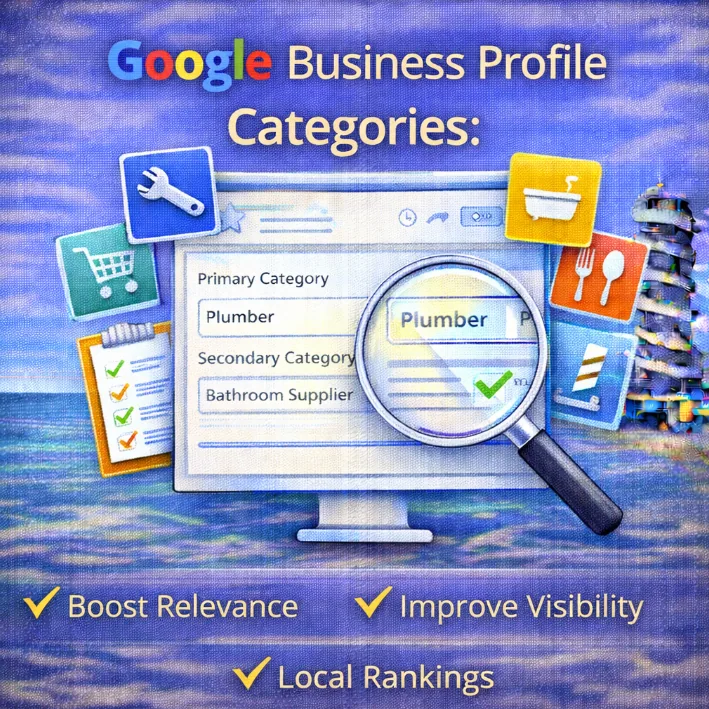
- Primary Category: This is the big one. It has the strongest influence on your local rankings. You can only pick one.
- Secondary Categories: These are the supporting actors. They add context and help you rank for specific services or niche terms. You can have up to 9 additional categories.
It sounds simple enough.
However, selecting the wrong combination is a major reason why you’re not ranking locally.
The Golden Rule: Nail Your Primary Category
If you only take one thing away from this guide, let it be this: your Primary Category is critical.
This single field acts as a massive signal to Google. If you are a dentist, your primary category must be “Dentist”.
If you put “Teeth Whitening Service” as your primary, you might rank for whitening, but you will likely vanish for general dentist searches.
How to choose the best one
- Be specific but accurate: If you are a specialised “Criminal Defence Solicitor”, choose that rather than just “Lawyer”.
- Look at the winners: Search for your main service in Redcar. Look at the businesses in the “Map Pack” (the top 3 results). What primary category are they using? If the top three result are all using “Coffee Shop”, do not try to be clever by choosing “Espresso Bar” as your primary. Follow the data.
This decision is a fundamental local SEO ranking factor. Treat it with respect.
Expanding Your Reach with Secondary Categories
Once your primary label is set, you need to flesh out the details. This is where you tell Google about the full range of what you do.
Let’s go back to our Italian restaurant example.
- Primary: Italian Restaurant
- Secondary: Pizza Delivery, Pasta Shop, Wine Bar, Tiramisu Shop.
By adding these, you increase the chances of appearing when someone has a specific search intent, like “wine bar Redcar” or “pizza delivery near me”.
However, only add categories that actually apply to you. If you are a plumber who can fix a boiler, but you don’t really want those jobs, leave “Heating Contractor” off the list.
Optimise for the work you want.
The Difference Between Categories and Services/Products
This is where people get confused.
Categories are broad classifications defined by Google. You cannot make up your own category; you have to select from their list.
Services (and products) are where you can get granular. You can write your own custom services.
- Category: “Electrician”
- Service: “Fuse box rewiring in Redcar”
Think of categories as the headline and your service pages or service list as the detailed article. The category gets you into the room; the service details close the deal.
Common Mistakes to Avoid
It is easy to make mistakes here, but luckily, they are easy to fix.
1. Category Stuffing
Do not add every category under the sun just to see what sticks. If you run a hair salon, do not add “Pet Groomer” just because you also own a pair of scissors. Irrelevant categories confuse the algorithm and can dilute your relevance for your main keywords.
2. Being Too Broad
If you run a dedicated “Vegan Restaurant”, choose that as your primary category. If you just pick “Restaurant”, you are competing against every eatery in Redcar, from the chip shop to the steakhouse.
Niche down to stand out.
3. Set and Forget
Google updates its list of categories regularly. New ones are added all the time. It is worth checking your profile every few months to see if a new, more accurate category has appeared that fits your business perfectly.
How to Edit Your Categories
Ready to make changes? It takes about two minutes.
- Go to Google and search for your business name (make sure you are logged into the account that manages the profile).
- Click on Edit profile.
- Under the “About” section, look for Business category.
- Click the pencil icon.
- Update your Primary Category or add Secondary Categories.
- Click Save.
Google might take a few days to review the changes, but once approved, you should start to see a shift in how you appear in search results.
Final
Getting your categories right is the foundation of a healthy local SEO strategy. It costs you nothing but a few minutes of time, yet the return on investment can be huge for a small business in Redcar.
If you are unsure if your current setup is working for you, or if you feel like you have hit a wall with your rankings, it might be time for a closer look.