



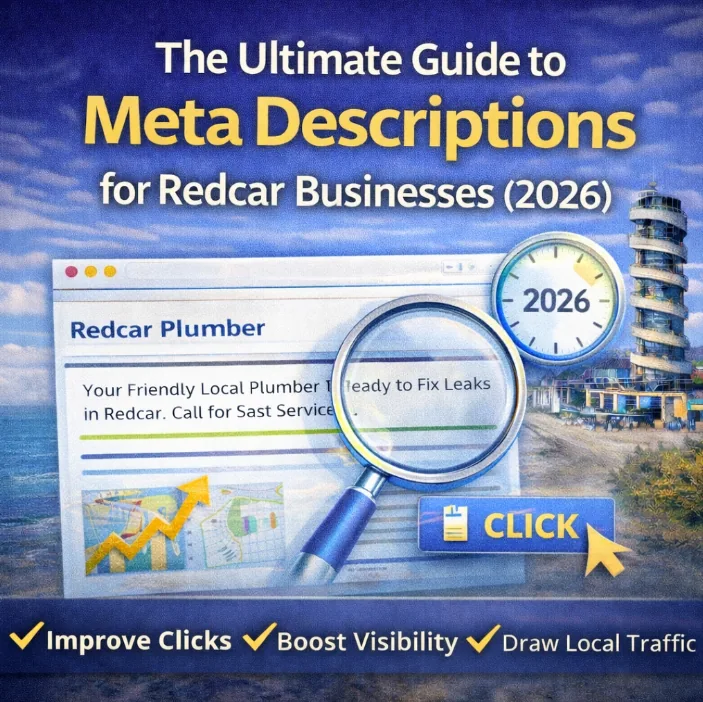
A well-optimised meta description is absolutely vital for a solid local strategy.
At the end of the day, you want more customers walking through your doors or calling your Redcar business, right?
The process might seem easy on the surface:
You just pop in your key phrases, add a few variations, maybe throw in a location tag like ‘Teesside’, and BOOM. You are finished.
Instant rankings and loads of clicks, right?
…Not exactly.
There is far more to optimisation than just stuffing a text box with buzzwords.
That is exactly what this guide is here to sort out.
By the end, I will share the top methods for making the most of that strict character limit, ensuring your local business gets as many eyes on it as possible.
Ready? Let’s get into it.
Defining the Meta Description
A meta description is an HTML element that offers a short summary of what a specific page on your website contains.
<head> <meta name=”description” content=”Click here to see the best SEO tips for Redcar businesses!”> </head>
It is primarily used to help search engines understand the topic of the page, but it also plays a massive role for users. It gives them a quick preview before they decide to click.
Think of it as your digital elevator pitch.
Like title tags, each page can only have one meta description, and it lives in the <head> section of your site code.
Do not panic. I know you might not be a web developer, so you do not need to memorise the coding side of things.
As long as your web team or SEO partner knows what they are doing, you are safe.
Now, where do these descriptions actually appear?
1. Social Media Shares
Have you ever shared a link on Facebook or LinkedIn and noticed the preview text that appears under the image? That is often your meta description doing its job.
It gives potential customers a quick idea of what you are sharing before they commit to a click.
Some tools allow you to set specific descriptions for social platforms, so you can tailor your message to different audiences.
2. Accessibility Tools
Meta descriptions are huge for web accessibility.
Screen readers read them aloud for visually impaired users. Contrast tools might adjust them for readability.
A clear description ensures everyone in our community can access your information.
3. The Search Engine Results Pages (SERPs)
The most critical placement is in the results on Google, Bing, and other search engines.
You see these every time you search for something. It is the snippet of black text that sits under the blue headline in the SERPs.
If someone searches for “best accountant in Redcar” or “plumbers near me”, this is your one shot to convince them to visit your site instead of the competitor down the road.
Let’s dig into why this matters for your growth.
Do Meta Descriptions Actually Impact Local SEO?
If you have looked into digital marketing before, you might have heard people say:
“Meta descriptions do not affect rankings anymore.”
“Google changes them anyway, so why bother?”
Technically, yes. Google’s algorithm does not use the description text as a direct ranking signal. But does that mean they are useless?
Absolutely not.
A well-written description can double your click-through rate (CTR) overnight.
This means you get more value from the rankings you already have.
It is a low-effort, high-reward piece of the puzzle.
Even if Google does decide to rewrite it, giving them a strong starting point usually means they generate something better than if you left it blank.
Simply put: there is no good reason NOT to do it.
Rankings vs Clicks
Should you include your main service keywords in your description?
Yes.
Will it skyrocket you to position #1? Not on its own.
Google looks at on-page content, backlinks, and local SEO ranking factors to decide if you are relevant.
However…
Even if using your keyword only helps slightly, why wouldn’t you do it?
It takes less than a minute to write a description that flows naturally, speaks to your Redcar neighbours, and includes the right terms.
So yes, use your keywords. Make it count.
Let’s look at the real benefit:
The Power of CTR
If your description speaks directly to your customer, your traffic will jump.
Let’s say you rank for “Bakeries Redcar”, a term with decent monthly searches.
If your description is boring, even at rank #1, you might only get a small fraction of those clicks.
Now, imagine you rewrite it to be punchy and inviting.
Suddenly, you are getting double the traffic for the exact same ranking position.
That is a huge boost for just tweaking a few words.
Imagine you did this for EVERY page on your site.
What would that do for your bottom line?
Your Chance to Stand Out
Your meta description is often the first interaction a local customer has with your brand.
Think of it like a newspaper headline or a shop window display.
If you walked past a shop on Redcar High Street with a messy display, you probably wouldn’t go in.
Internet users do the same thing.
If your snippet doesn’t grab them, they scroll past.
And when that happens?
Your competitors get the traffic (and the revenue) that you missed out on.
Will Google Change My Description?
Yes.
If Google thinks your text isn’t relevant or helpful, it will rewrite it.
It happens all the time.
Why? Because Google wants to show the user the most relevant information for their specific search.
Can You Stop It?
To an extent, yes.
Google usually steps in when your description doesn’t match the page content or user intent. So, you are in control of the quality.
For example, if your page is about “Roofing Services in Marske” but your description just says “Roofing”, that is not good enough.
Google will rewrite it to something like: “Looking for trusted roofers in Marske? Contact us for repairs and installations.”
The key is to make sure your description:
- Matches the page content perfectly
- Aligns with what the user is looking for
- Uses persuasive language
Common Questions on Length and Format
How Long Should It Be?
Technically, as long as you want.
BUT Google typically cuts off anything after about 160 characters (or 920 pixels width).
If you go too long, your key selling points get cut off by an ellipsis (…)
Should Every Page Be Unique?
Yes. Every single page needs its own unique description.
If multiple pages share the same text, search engines might flag this as duplicate content. This can hurt your visibility.
Plus, a specific description helps the user know exactly what that specific page offers.
What If I Don’t Write One?
Google will generate one for you.
This might sound helpful, but it often pulls a random sentence from the middle of your page. It rarely makes sense as a sales pitch.
It is always better to stay in control and write it yourself.
Can I Use Emojis?
You can, but be careful.
Google sometimes displays emojis, which can help you stand out visually.
But if you overuse them, it looks spammy.
Example:
✅ “Need a Plumber? 🔧 Fast, Reliable & Local to Redcar | Call Today!”
❌ “🔥🔥 BEST PLUMBER EVER!!! 💯💯💯 CALL NOW!! 🚨🚨”
5 Steps to Writing Descriptions That Convert in Redcar
You know why they matter. Now, how do you write one that works?
Here are 5 simple ways to optimise your descriptions and start pulling in more leads for your business.
1. Prioritise Your Page Content
This might seem odd, but hear me out.
A perfectly written description means nothing if the page it leads to is rubbish.
If your page doesn’t provide real value, people will leave immediately (bounce).
So, nail the page content first.
Then, write a description that advertises something worth reading.
2. Identify the Page Goal
Not all descriptions serve the same purpose.
It depends on the type of page you are working on.
Homepages
Your homepage description should be broad but compelling. You want to mention your main service, your location (Redcar/Teesside), and a reason to click.
Service Pages
These are your money makers. If you are optimising your service pages, you need to be precise.
Include:
- Main keyword (e.g., “Boiler Repair”)
- Location
- Trust signals (e.g., “Gas Safe Registered”)
- Call to Action (CTA)
✅ “Looking for boiler repair in Redcar? Our Gas Safe engineers offer fast, reliable fixes with no call-out fees. Book your repair today.”
Blog Posts
When creating local SEO content or blogs, you are attracting people looking for answers, not necessarily a service right now.
You need to show them you have the solution.
✅ “Wondering why your radiator is cold at the bottom? Discover the top 3 causes and how to fix them safely. Read our full guide now.”
3. Match the Search Intent
Your text must match what the searcher wants.
If they are looking for information, give them a teaser of the answer.
If they are looking to hire someone, give them a phone number or a “Book Now” CTA.
Understanding search intent is the secret weapon to beating your local competition.
4. Front-Load Your Keywords
It makes sense to put your primary keyword near the start.
Why?
Because when a user sees their search term right at the beginning of your snippet, they instantly know your page is relevant.
This makes them far more likely to click.
Smart keyword placement isn’t just for the page content; it applies here too.
That said, it doesn’t have to be the very first word. Power words like “Top”, “Trusted”, or “Local” are also great openers.
5. Keep It Natural (No Stuffing)
Yes, include your keyword.
No, do not jam it in five times.
Keyword stuffing is old news. It doesn’t work.
Google is smart. If your description reads like a robot wrote it, people won’t trust you.
Instead of writing:
❌ “Electrician Redcar | Best Electrician in Redcar | Redcar Electrical Services”
Try something natural:
✅ “Need a reliable electrician in Redcar? Get expert service with no call-out fees. Contact us today!”
This avoids the risk of keyword cannibalisation or looking like spam.
You only have limited space. Don’t waste it on repeating yourself. Make it persuasive, make it local, and make it count.
Google Knows What You’re Doing
I’ll let you in on a little secret: Google isn’t a toddler anymore. It’s actually pretty smart. It can understand what your page is about without you force-feeding it the same keyword over and over again.
Because Google looks at your site’s overall authority – it doesn’t need a “keyword-stuffed” mess to figure out where to rank you.
Instead of writing a robotic disaster like:
❌ “Electrician London | Best Electricians London | London Electrical Services”
Try something that actually sounds like a human:
✅ “Searching for a trusted electrician in London? From fuse box upgrades to full rewires, we’ve got you covered. Book your free quote today!”
You’re still ticking the SEO boxes, but you’re actually speaking to the person behind the screen. Better trust equals more clicks.
Stick to One Main Goal
Every page on your site should have one job. That means targeting one primary keyword. If you start cramming a dozen different services into a single meta description, you aren’t being helpful – you’re being confusing.
If you want to rank for variations, sprinkle them naturally into your page content. Let the algorithm do the heavy lifting there. For your meta description, keep it laser-focused on that one main keyword to avoid confusing Google and tanking your rankings.
Don’t Scare Away Your Leads
Let’s be real: a meta description packed with keywords looks like spam. If a potential customer sees a wall of repetitive text, they aren’t going to click.
They’re going to scroll right past you to the competitor who actually sounds professional.
You have roughly 155–160 characters to prove you’re the right person for the job. Don’t waste that precious real estate on bot-focused gibberish.
Make it snappy, make it local, and most importantly, make it persuasive. Focus on the value you provide, and the clicks will follow.